Invoice your whole studio for a half-term in a few clicks
Set up your teaching year once. For each half-term block, MusicNotes works out what every family owes from your timetable and your rates. You check the preview, then send.
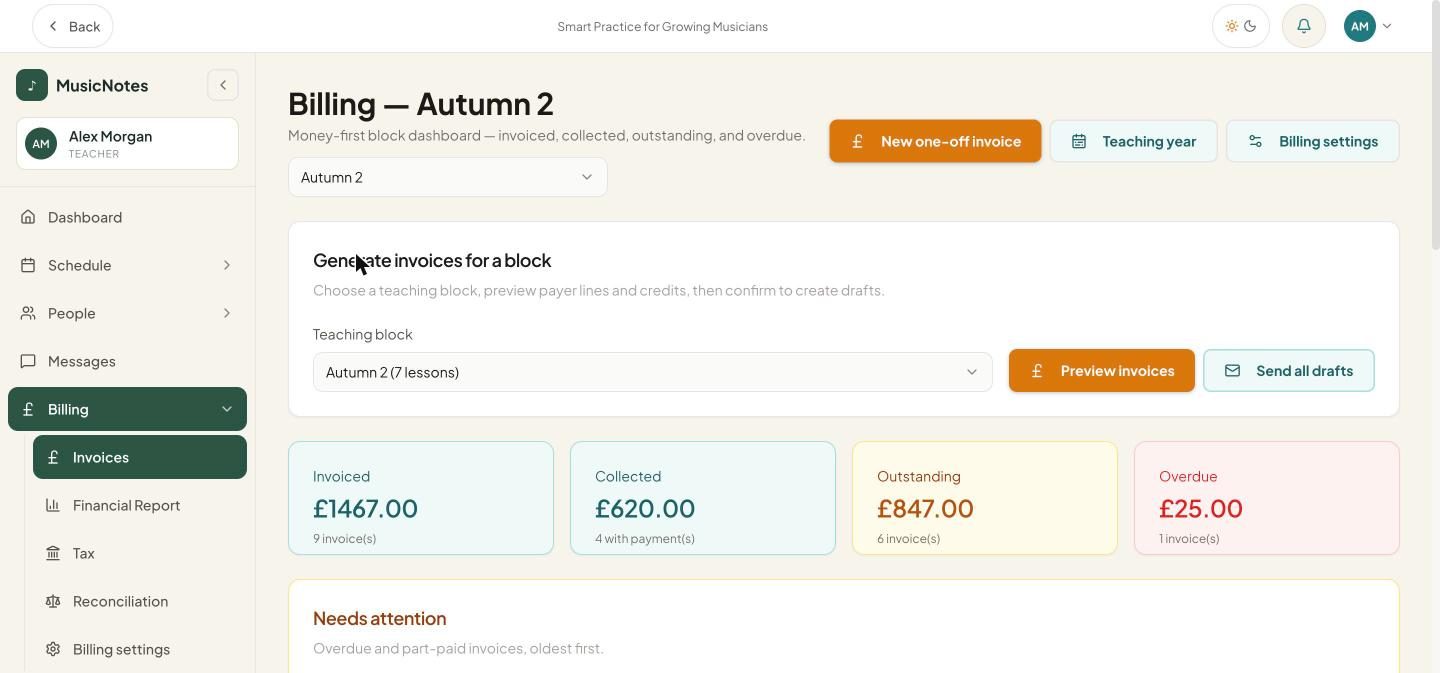
Invoiced, collected, outstanding and overdue for a block. Screenshots show demo data.
Preview before anything is saved
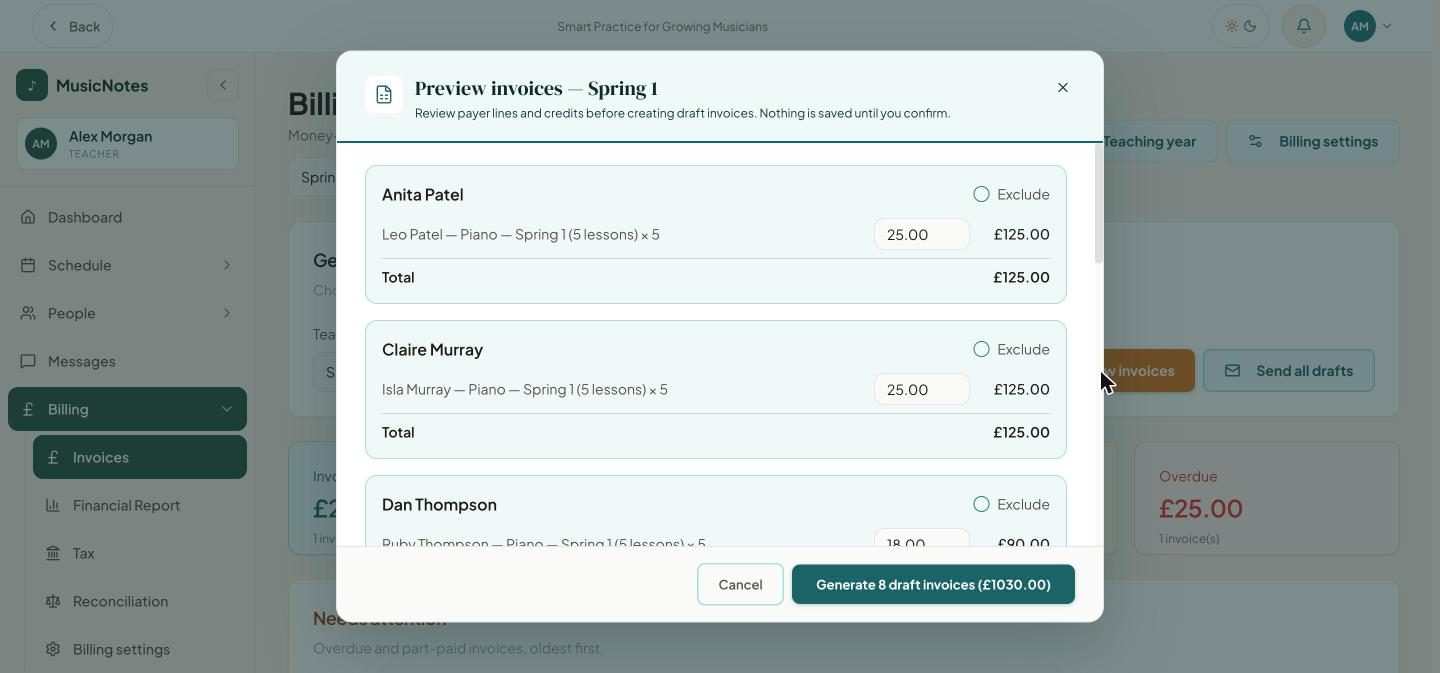
Choose a half-term block and see each family's invoice first. Lines come from the lessons in your timetable and your rates. You can change a price or leave a family out, then create the drafts and send them all.
See who has paid
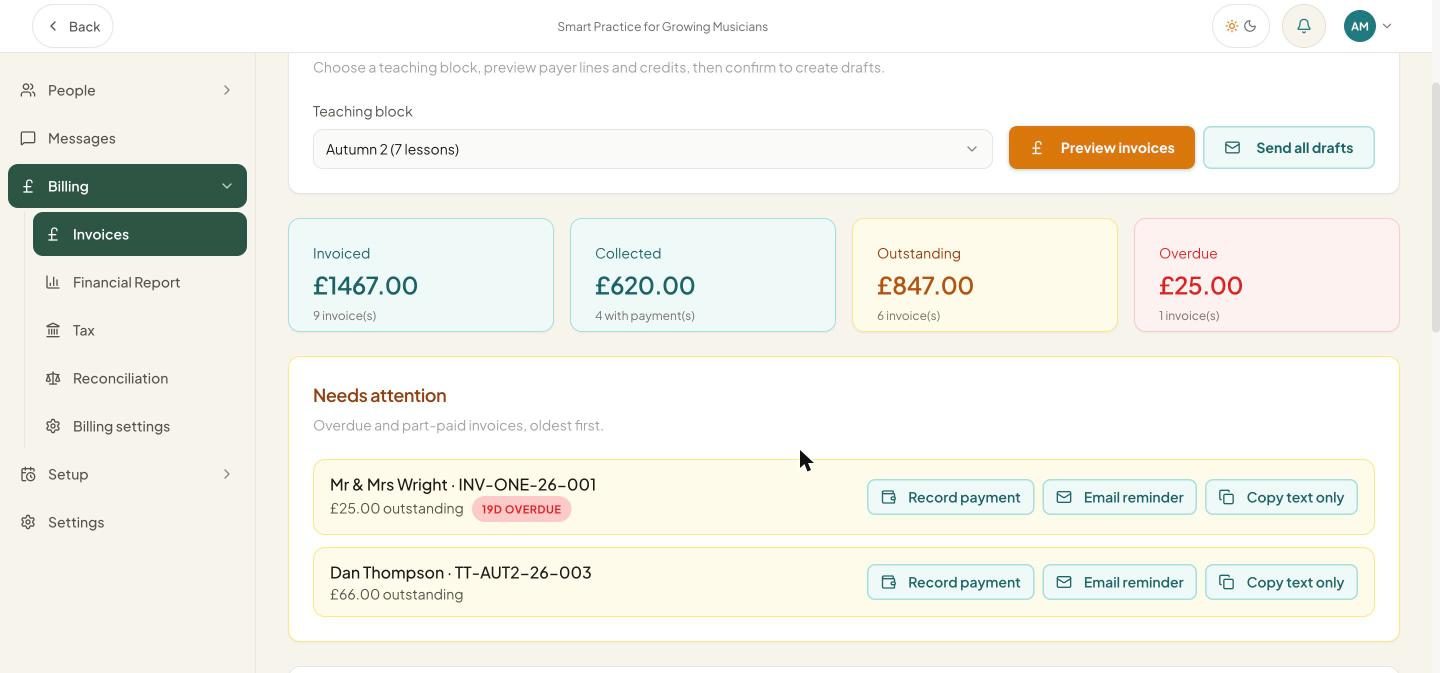
The billing page totals what you have invoiced, collected, and what is outstanding or overdue. Late and part-paid invoices are listed first, with Record payment next to each.
Polite reminders, in one click
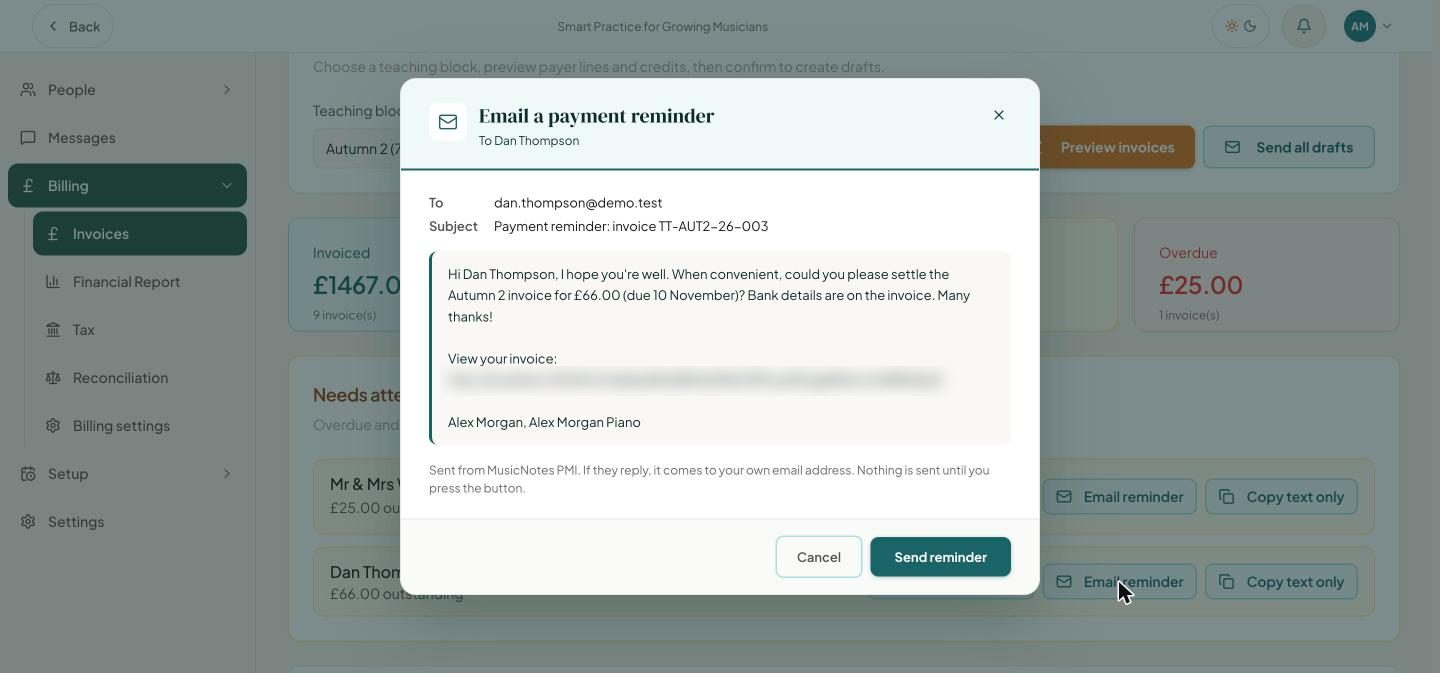
When an invoice is late, preview a friendly reminder and send it with one click, or copy the text and send it yourself. Replies come to your own email address. Nothing is sent until you press the button.
Families see their invoices
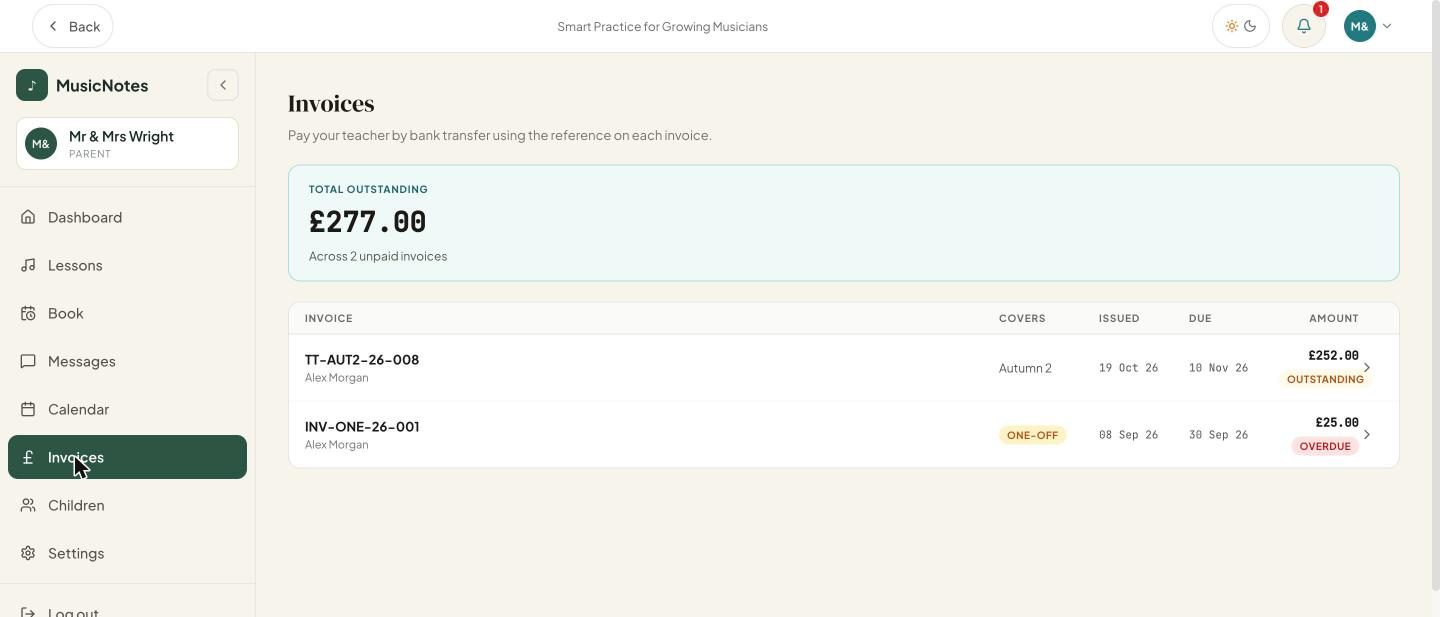
Each family sees their invoices and the total outstanding in their own login, with your payment reference. They pay you by bank transfer, and you record the payment when it arrives.